
Essence Table of Contents

A contents list for long posts, built from the headings you already wrote. No JavaScript reaches your reader, and moving from your old contents plugin keeps every link anybody has ever shared.

Coming soon to WordPress.org. Free, with no account, no upsell banners and nothing sent anywhere.
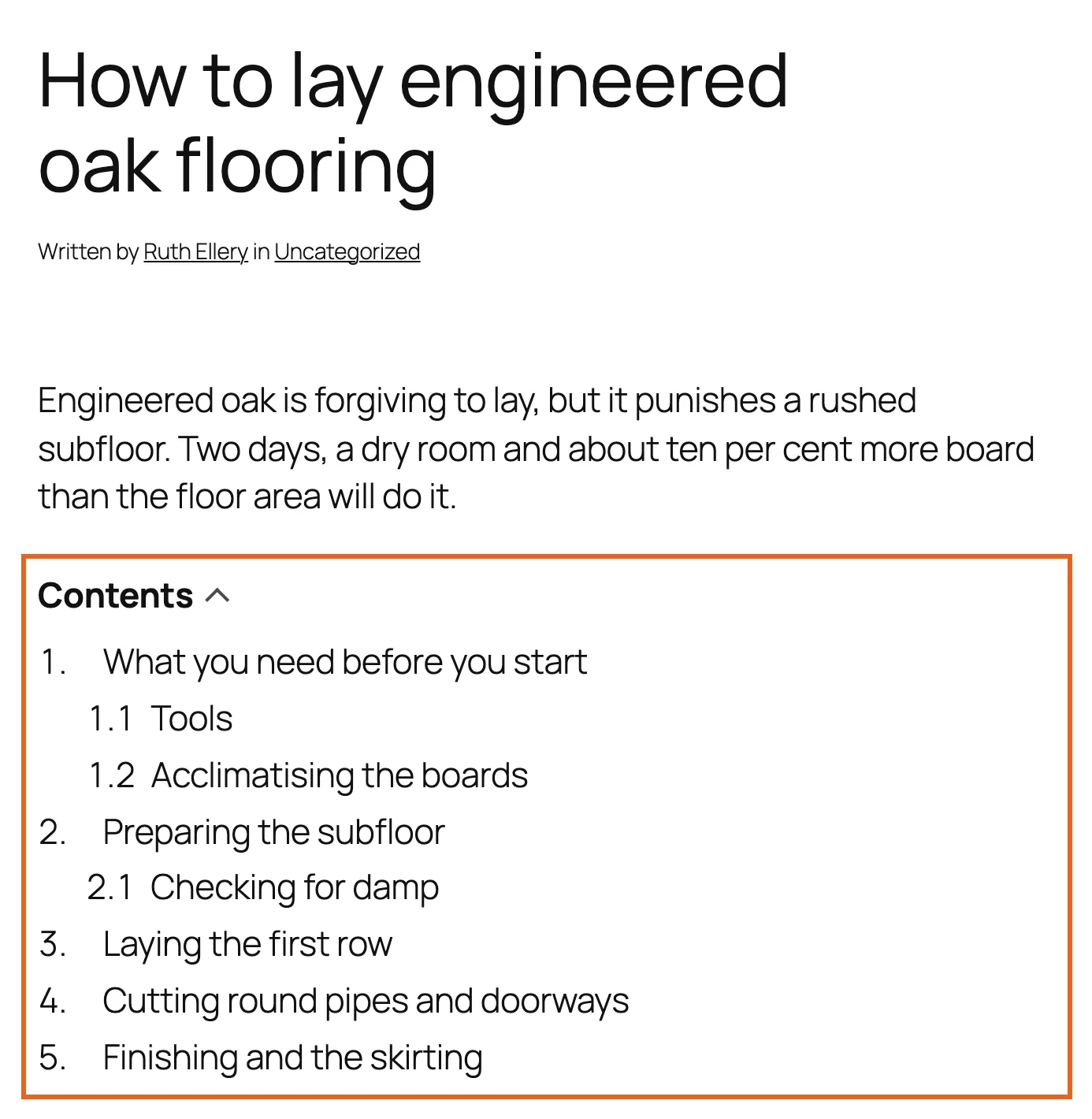
A post with the contents list above the first heading

A contents list on a long post.

It works the moment you switch it on

Install it, and your long posts have a contents list above the first heading. There is no setup wizard, no welcome screen and nothing to configure first.

Every heading gets its own address, so a reader can link somebody straight to the part that answers their question.
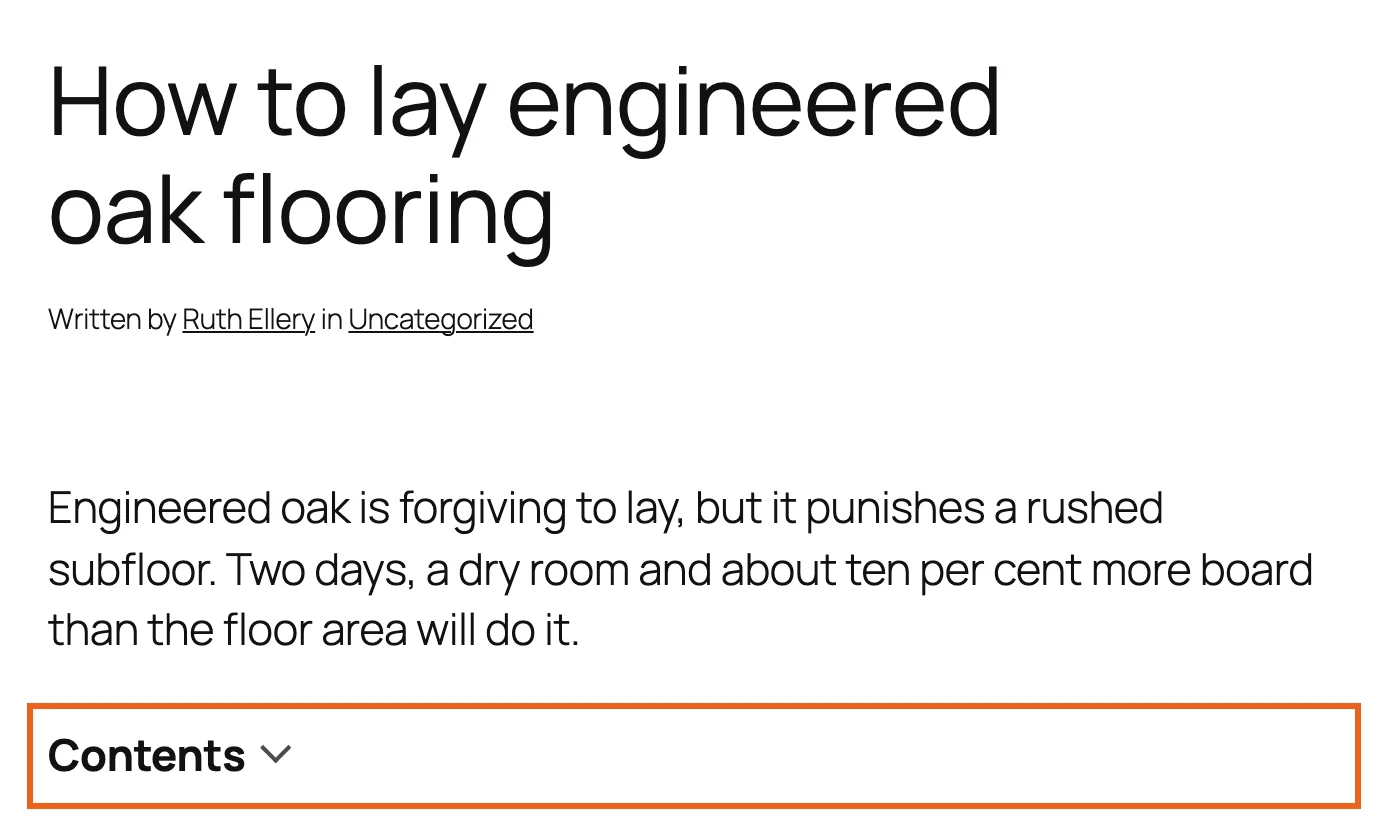
The list folded away, with only its title showing

The list folded away. The title is the control.

Nothing is sent to your reader but the page

Every other contents plugin loads a script. This one loads none, on any page, ever.

  • No JavaScript on the front end. The fold is a <details> element, which is part of HTML and has been in every browser for years. The smooth scrolling is one line of CSS.
  • No file to fetch. About 4KB of stylesheet is printed into the page, and only on pages that have a list. A page without a list carries nothing at all.
  • Nothing to configure for caching. The list is part of the page’s HTML. There is no script to exclude, defer or combine.
  • Fast on a long post. A post with 200 headings and 22,000 words is read in about three milliseconds, measured on PHP 7.4 on a slow machine. The work grows with the number of headings, not the length of the post.

It helps accessibility too. A control the browser provides cannot trap the keyboard, cannot fall out of step with its own label, and cannot break when some other script on the page does.

Moving from LuckyWP or Easy Table of Contents

Most contents plugins build a heading’s link out of the heading’s own words, and each one has its own rules for it. Change plugin and the links change too. Every #link anyone has ever shared, in an email, a forum answer, a search result, now points at a name that is not there any more. Nobody sees an error. The reader lands at the top of the page and scrolls, and you never hear about it.

So the move copies what your old plugin was doing, down to the way it numbered a repeated heading.
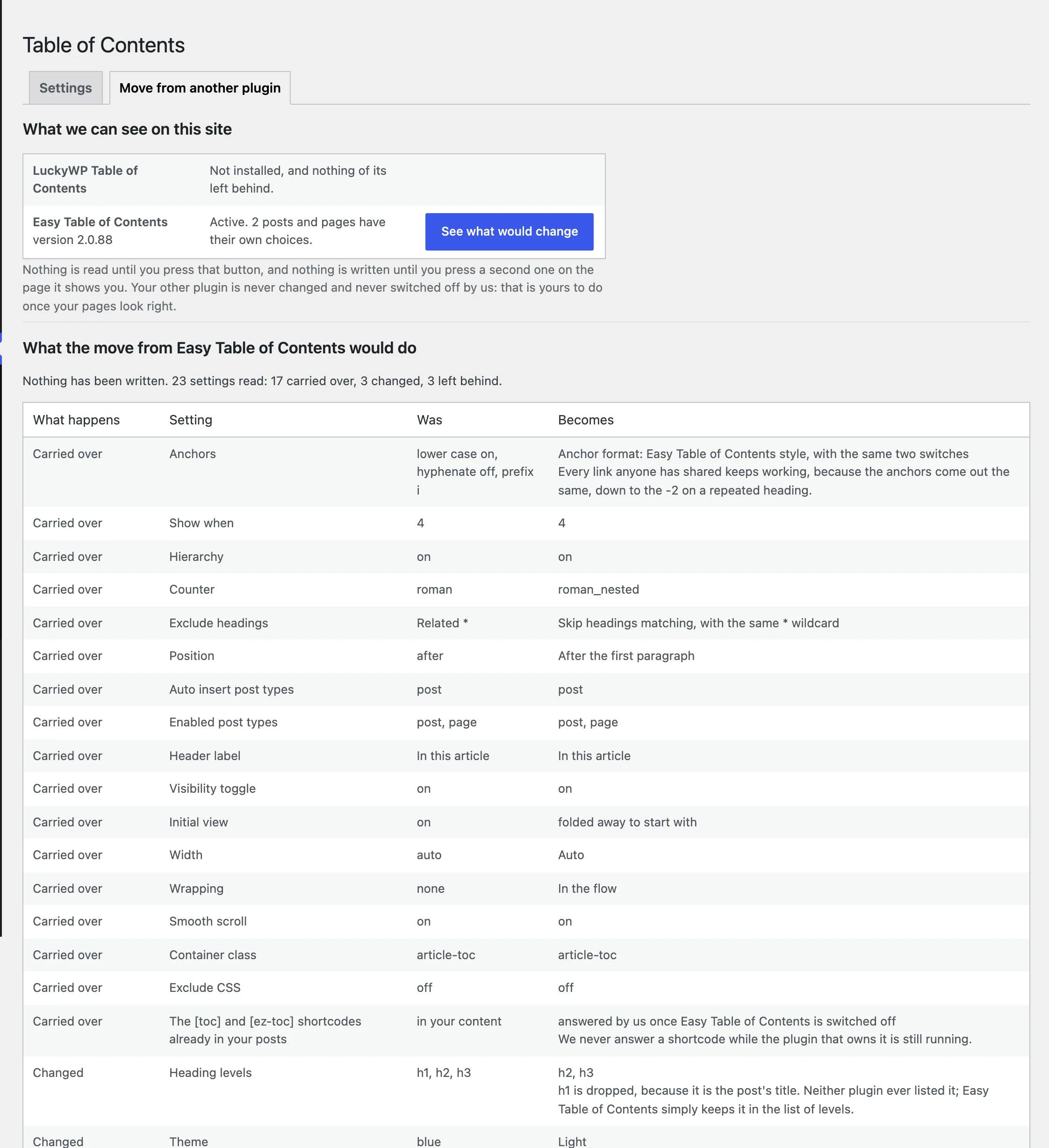
The report: every setting carried over, changed or left behind, with the reason

The report, before anything is written.

  • See what would change. That is the button, and it writes nothing. You get a report: every setting, what it was, what it becomes, and for anything that cannot come across, why. Read it, close the page and walk away if you want to.
  • Your old plugin is left alone. Not changed, not switched off, not deleted. That is yours to do once your pages look right.
  • Put my old settings back. Also a button. Your old settings are kept until you say you are happy.

We read LuckyWP 2.1.14 and Easy Table of Contents 2.0.88 line by line to write this, and we run the whole move against real installations of both, in a browser, before every release.

Your links keep working when you edit a heading

Change “Laying the boards” to “Laying the first row” and most contents plugins quietly break the link somebody shared to that section. This one keeps it.

Each post remembers the anchors it has published, and matches an edited heading back to its own: by an id you set, then by its words, then by its place in the post. Reword a heading and the link still works. Move a section and it still works. We have not found another contents plugin that does this.

It looks like your site, not like a plugin

The typeface, the sizes and the colours come from your theme, because we ship the least CSS we can get away with. If the list looks bare on your theme, there is a light box, a dark box and five colour pickers. If you would rather do it all yourself, one setting prints no CSS at all.

Checked in a browser on Storefront, Astra, Kadence, GeneratePress and WordPress’s own default theme, in both directions of text, before every release.
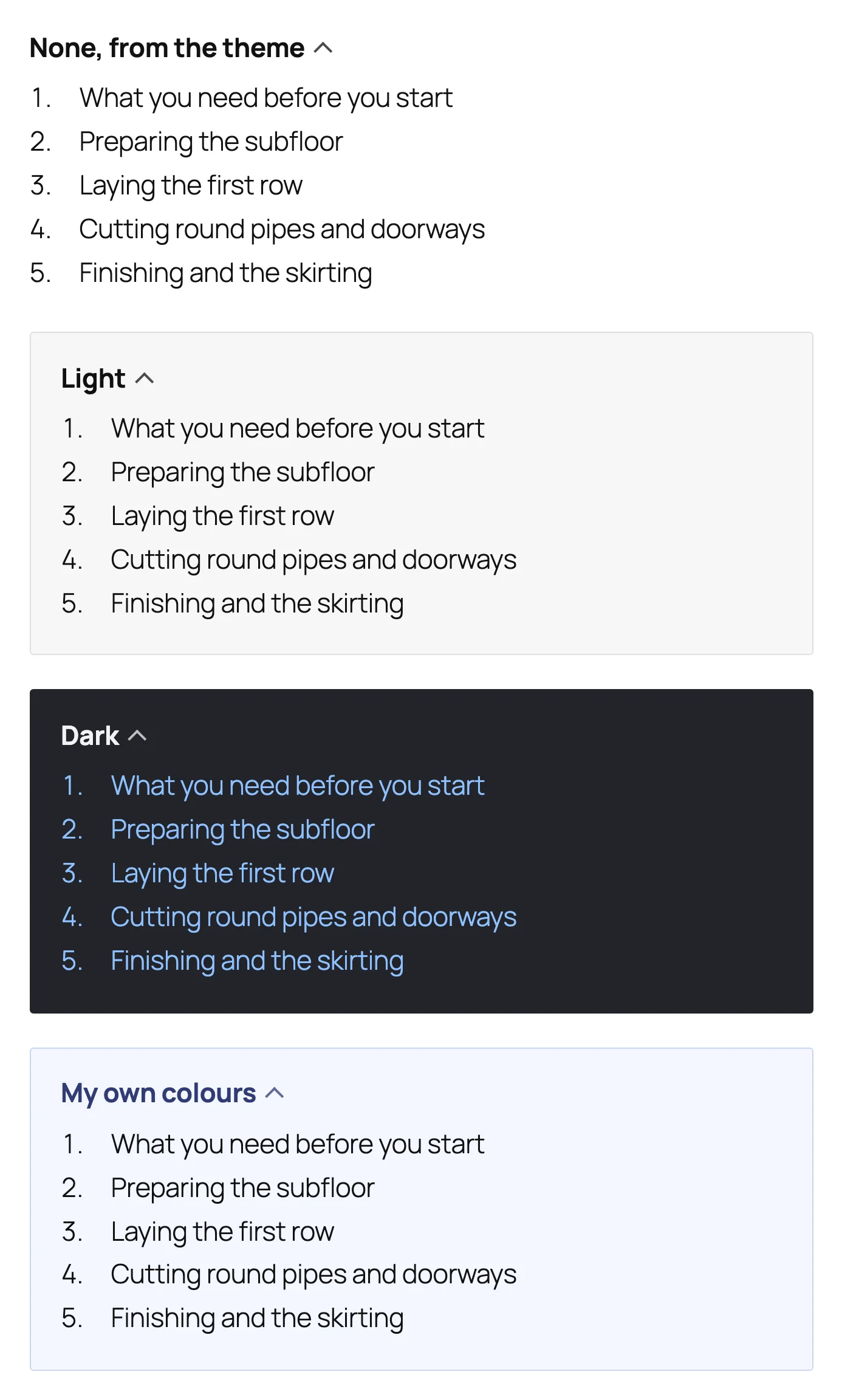
The same list with no box, a light box, a dark box and your own colours

No box, light, dark, and your own colours.

Every setting on one page

One page, four groups, and a sentence under every field saying what it is for. Where the list goes, what it lists, how it looks, and what the links are called. A field that only matters sometimes appears only when it does.

A writer can also change one post without touching the settings: a panel in the editor turns the list off for that post, gives it its own title, moves it, or lists different levels.
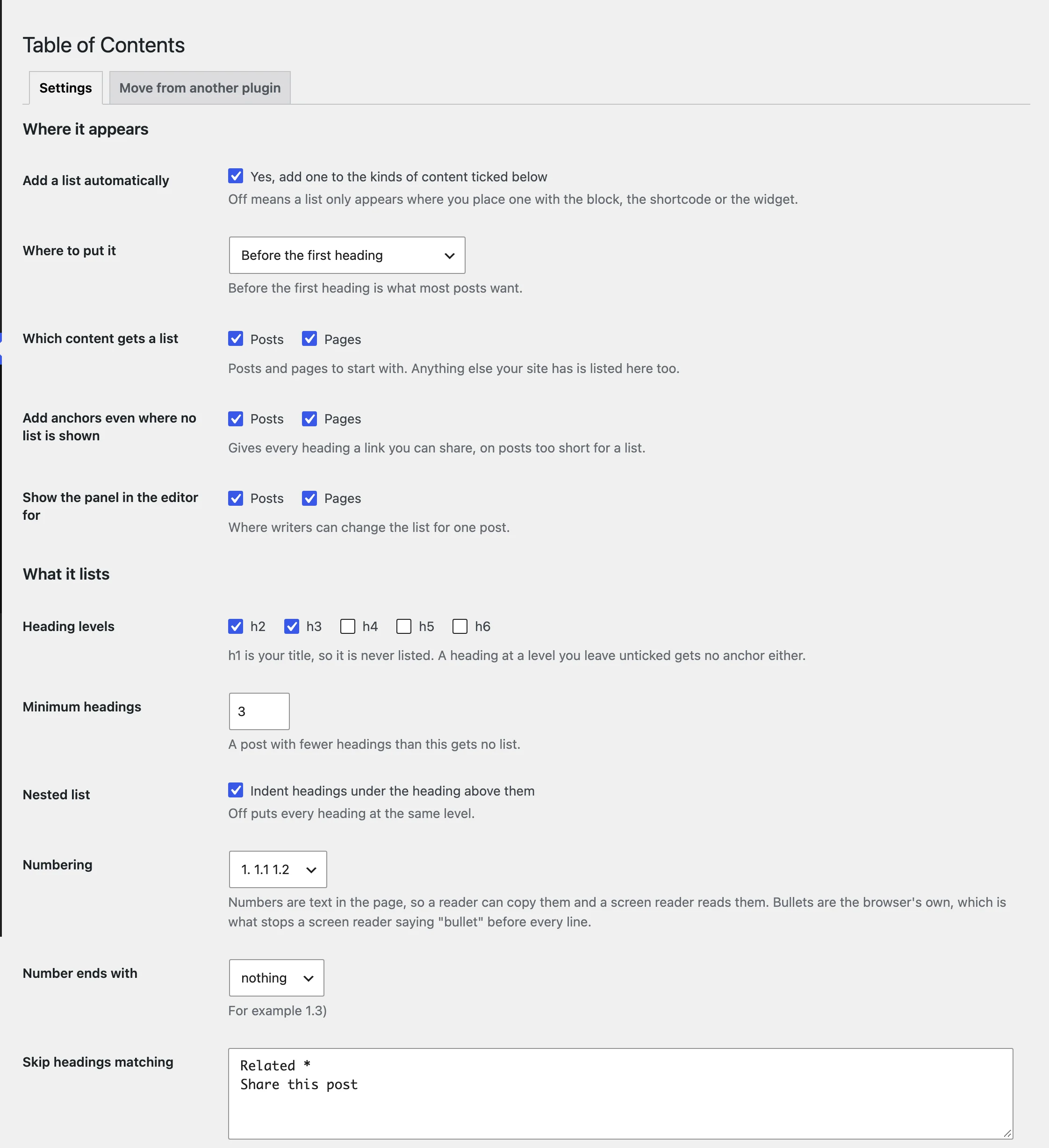
Settings, Table of Contents: one page, with a line of plain English under every field

Settings, Table of Contents.

What it does

Automatic, or exactly where you want it

A list on every long post, or placed by hand with the block, the shortcode [essence_toc] or the widget.

Five heading levels, h2 to h6, nested or flat

Numbering in decimal or roman, straight through or by level. The numbers are real text, so a reader can copy them and a screen reader reads them out. h1 is your title, so it is never listed.

Leaves out what you do not want listed

By words, with an asterisk for “anything here”, or by putting a class on the heading.

Anchors on every heading

Even on posts too short for a list, so every section of your site is linkable.

Right to left

Mirrors from the same stylesheet, with nothing to set.

Fixed headers

One number stops the heading landing underneath your theme’s top bar.

Translation ready

It works with WPML, Polylang and TranslatePress without being told to.

Questions

Does it work with my theme?

It is tested on Storefront, Astra, Kadence, GeneratePress and Twenty Twenty-Five before every release, and it takes its appearance from the theme rather than fighting it. Themes and page builders covers the exceptions.

Does it work with Elementor or Divi?

Yes. Put [essence_toc] in a shortcode or text element. Automatic placement also works wherever the template renders the post’s content.

Will it slow my site down?

No. Your reader downloads no JavaScript and no extra file, and the post is read once rather than once per heading level.

What happens to the lists if I remove it?

They go, along with the heading ids, which is true of every contents plugin. Everything the plugin stored is deleted with it; your posts are untouched, because it never changed them.

Is it really free?

Yes, with no limits on posts or sites. Everything on this page is free and stays free.

Guides

Getting started

Three minutes, with pictures.

Every setting explained

In the order of the page.

How the list is built

Headings, anchors and the one pass.

Limits and edge cases

Where it stops, and why.

Themes and page builders

The tested five, and the exceptions.

Questions and problems

No list, wrong headings, wrong place.

Moving from LuckyWP

The five steps, with a picture each.

Moving from Easy Table of Contents

The same, for Easy.

Support

Ask on the plugin’s support forum and we reply within one working day. Say which theme you use and link to the post; that helps more than anything. The forum opens when the plugin is approved.

Made by Essence Design, a brand and design agency in Birmingham that has run WordPress sites for its clients for years.