Waste allowance
Anyone who has laid a floor knows you need more than the room measures: cuts at the edges, the odd broken plank, the pattern that has to line up. Flooring and tiling calculators everywhere suggest ten per cent extra, sometimes fifteen for rooms with lots of corners.
Set Waste allowance on the Sold by tab to a percentage and the product page shows a tick box under the amount field: “Add 10% for cuts and waste”. It is ticked by default, because the extra is what most customers should order. They can untick it.
The extra is added before rounding to steps, so it works with packs the way a fitter would expect:
- Customer needs 12 m² and leaves the box ticked.
- 12 m² plus 10% is 13.2 m².
- 13.2 m² rounds up to 6 packs of 2.5 m², which is 15 m².
- The summary says: “6 packs, 15 m², £374.88. 12 m² plus 10% for waste is 13.2 m². 13.2 m² rounds up to the next pack. Each pack is £62.48.”
Every part of the calculation is shown, so a customer who thinks 15 m² is too much can untick the box and see 5 packs instead. The order records whether waste was added.
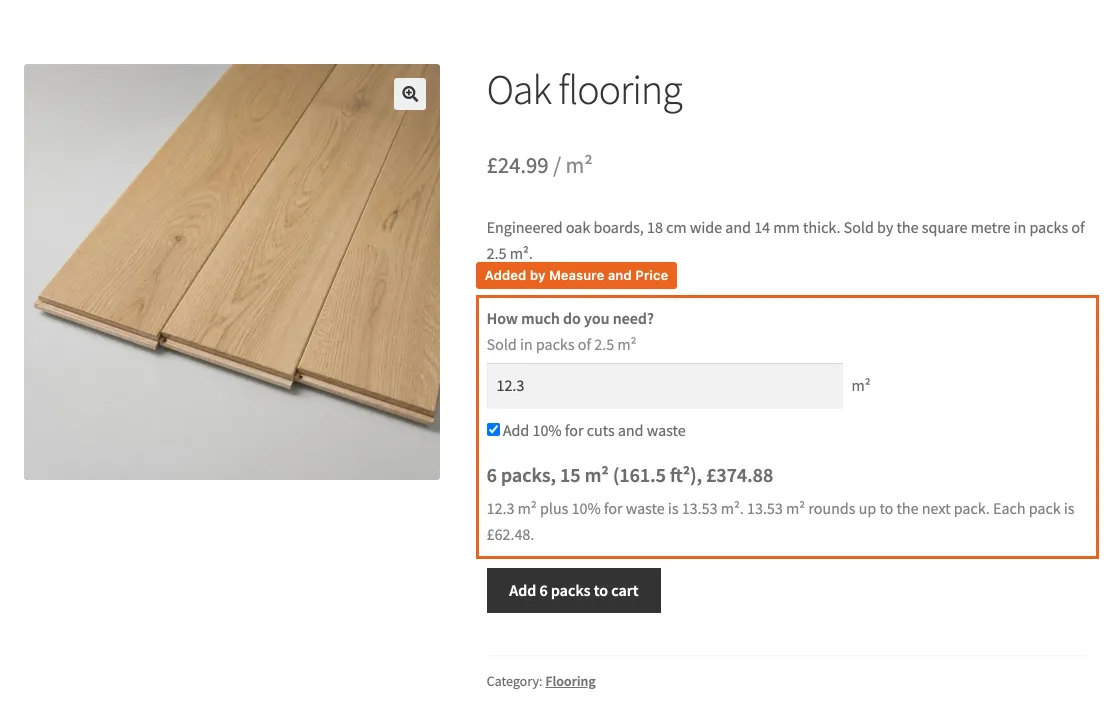
The product page with the waste tick box and the summary that explains the sum.
Leave the setting blank for products where waste makes no sense, such as fabric or cheese.
Minimum
The smallest amount you are willing to sell, in the pricing unit. A fabric shop that will not cut less than a metre sets 1. A customer who enters 0.5 m sees “Enter at least 1 m.” under the field and cannot add the product until they change the amount.
The minimum is checked after rounding, which is friendlier than it sounds: 0.95 m in 0.1 m steps rounds up to 1 m and passes.
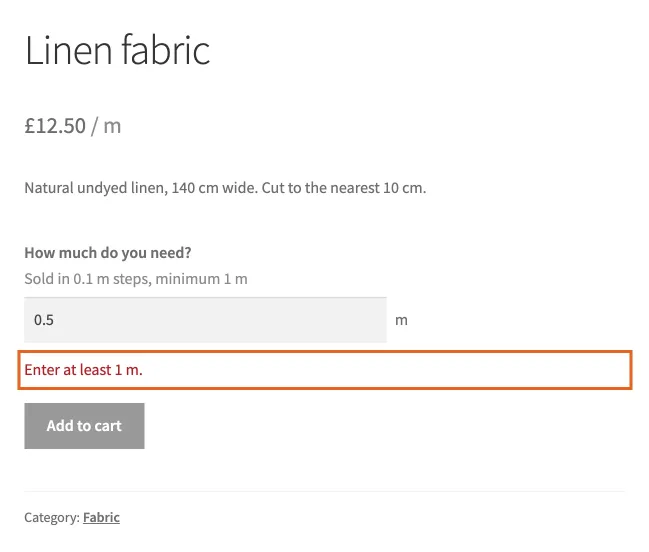
The message a customer sees below the minimum.
The minimum also appears in the hint under the field, “Sold in 0.1 m steps, minimum 1 m”, so customers know before they type.
Maximum
The largest amount for one line. Useful where a single order above a certain size needs a conversation, such as a whole roll of fabric or a pallet of flooring. A customer above it sees “Enter no more than 50 m.” Leave it blank for no limit.
Stock still applies
Minimum and maximum are about what you are willing to sell in one line. Stock is separate: WooCommerce still refuses more steps than you have in stock, exactly as it refuses more items than you have of any other product.