Setting up
The price label on the General tab says “per m²” but I entered a pack price.
Change Price is entered per on the Sold by tab to Step. The label updates to say “per pack” and the plugin derives the per-unit price for the shop.
I sell whole items but want to show a price per kilogram.
Set Sold by to Weight, the pricing unit to kg, Sold in steps of to the item’s weight, and Call a step a to the item’s name. A 250 g cheese at £18 per kg becomes “1 wheel, 0.25 kg, £4.50”.
Can I set different steps for different variations?
Not in this version. All variations share the Sold by settings and use their own price. Per-variation steps and units are planned.
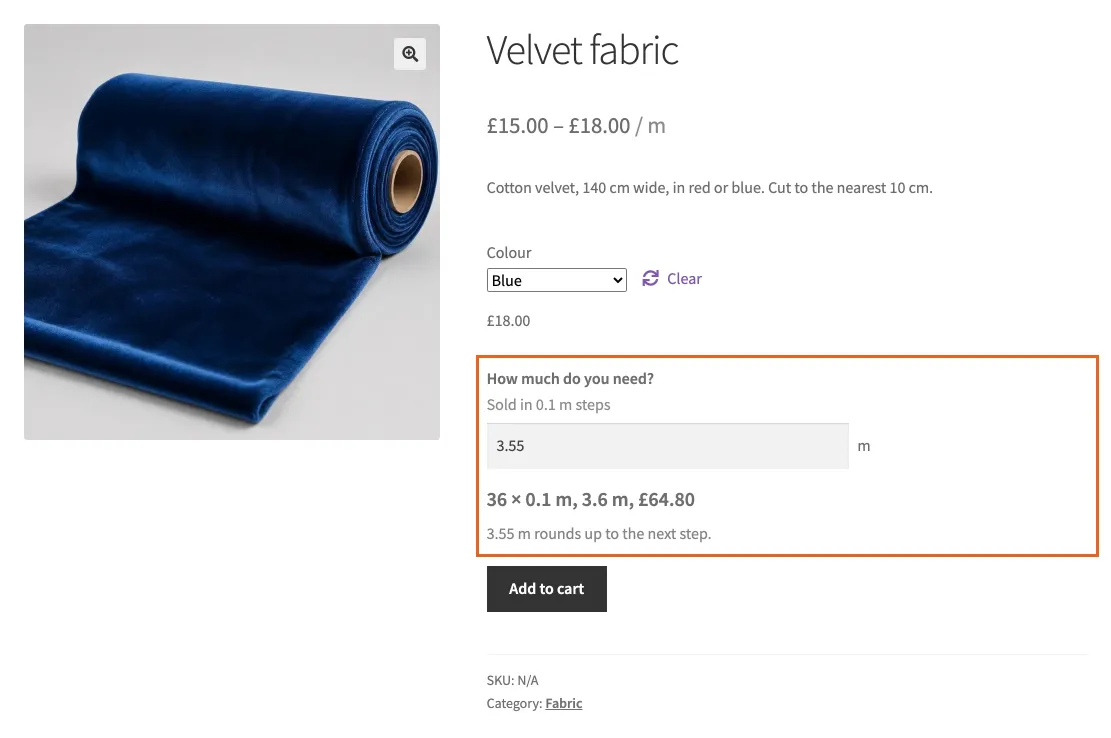
A variable product: the chosen variation sets the price per metre.
The field does not appear on the product page.
See Page builders and custom product templates.
Prices and totals
The total is a few pennies different from my price per unit times the amount.
That is expected and honest. Each pack has one price, rounded to the penny, and the total is packs times that price. How the sums work shows why.
A customer says they were charged for more than they entered.
They were charged for the rounded amount, which the page told them before they added it: “12.3 m² rounds up to the next pack.” The order shows the rounded amount and the number of packs. Amounts never round down, so nobody receives less than they need.
Can a customer change the price by editing the page?
No. The price is recalculated on the server from your settings when the product is added and again at checkout. Anything changed in the browser is ignored.
Stock and orders
Stock numbers look wrong.
Stock is counted in steps. With 2.5 m² packs, a stock of 40 means 40 packs, or 100 m². Enter your stock as a number of packs.
Where is the measurement on the order?
Under the product name on the order, in the order emails, and in the admin order screen as “Amount”. Invoice and packing slip plugins that show line item details show it too.
A customer changed the quantity in the basket. What did they get?
The number of packs they chose. The amount updates to match: six packs of 2.5 m² is 15 m².
Display
I want the summary to say “boxes” not “packs”.
Change Call a step a to “box” and its Plural to “boxes”. Leave Plural blank when adding an s is right, as in packs.
The amount shows too many decimals.
Amounts show up to three decimals with trailing zeros removed. The equivalent in the other system shows one decimal above ten and two below.
Can customers type a comma as the decimal point?
Yes. 12,3 and 12.3 both work, on the product page and in the editor.
Removing the plugin
Deactivating turns every product back into a normal product; your settings are kept. Deleting the plugin removes the settings from every product. Orders keep their measurements, because they are part of the order history.
Reporting a problem
Post it on the plugin’s support forum, where we reply within one working day. If you have Pro, email support@essence-design.co.uk instead.
Say which version of WordPress, WooCommerce and the plugin you use, which theme, and the exact amount and settings that went wrong. A link to the product page helps more than anything.