Cutting fee
On the Sold by tab under Fees and minimums, a cutting fee is added once per basket line, whatever the amount, as its own row in the basket: “Cutting fee: Cotton canvas, £3.00”. Two lines of the same product make one row for two cuts. The fee is taxed the way the product is.
The customer knows before they add: the product page says “Plus a £3.00 cutting fee, added in the basket.” under the summary.
Minimum charge
The least a basket line can come to. A customer who wants 1 m of canvas at £9 a metre with a £15 minimum pays £15, and the page says why: “Our minimum charge is £15.00.” The basket line and the order say “minimum charge £15.00” next to the amount, so nobody wonders later.
The line total lands on the minimum exactly, whatever the number of steps. The price per step shown in the basket is the minimum divided by the steps.
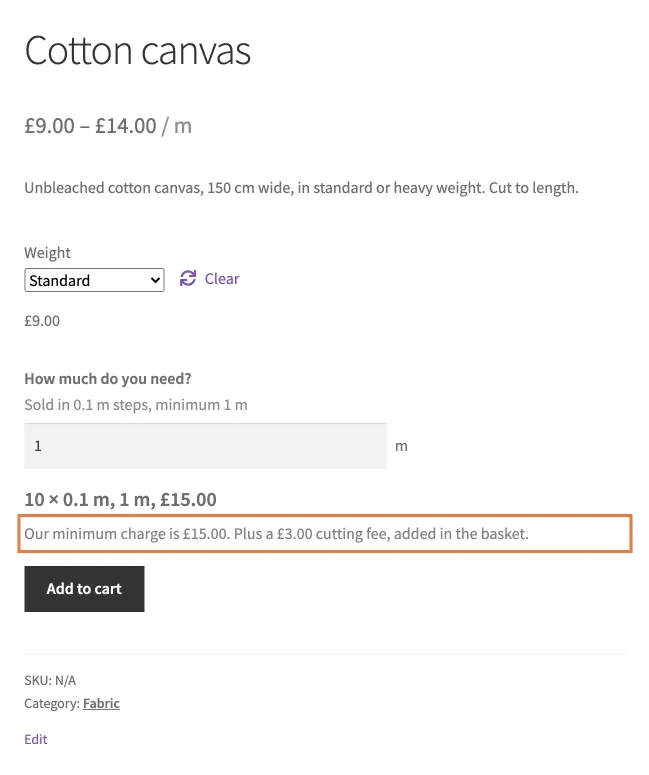
A minimum charge and a cutting fee, said before the customer adds.
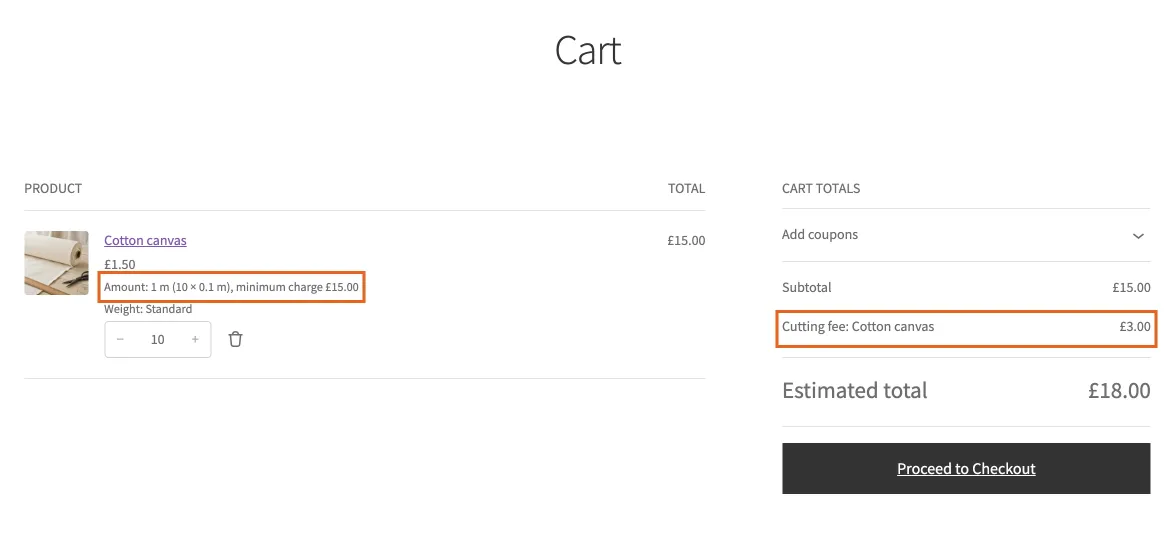
In the basket: the line says minimum charge, and the cutting fee is its own row.
Spreadsheets: export and import
Every Sold by setting travels in WooCommerce’s own product export and import, under plain headings, so a thousand products are a spreadsheet job.
Exporting. Products, Export. Our columns are listed with WooCommerce’s own and are ticked by default. The headings start with “Sold by”: “Sold by”, “Sold by: pricing unit”, “Sold by: step”, “Sold by: minimum”, “Sold by: price list”, “Sold by: price grid” and so on, one per setting.
Importing. Products, Import, with “Update existing products” ticked to change products you already have. The importer recognises the headings by itself; nothing to map by hand. A blank cell leaves the stored setting alone, so a spreadsheet with only the columns you want to change is safe.
Grids and lists travel by name. Put the grid’s name in “Sold by: price grid” and the product uses that grid. The grid itself is made once, on any product or category; the spreadsheet only points at it.
Variations are rows of their own in WooCommerce’s export. Their cells carry only what the variation overrides; blank means “same as the product”.
The values are the ones the editor stores: length, area, weight, volume or size for Sold by; unit codes such as m2, m, kg; yes or no for the unit price switch. An export shows you all of them.