Category: Web Design

Tool tip

Tool tip for web videos.

Don’t let your visitors wait for videos to load on your website. They may never get to see it if it takes too long to load – especially on mobile. Here is a quick video compression 101. 

What is Video Compression?

Video compression is the process of reducing the size of a video file, so that it can be stored more securely and quickly transferred across the internet.

How Does Video Compression Work?

Video compression can be divided into two main categories – lossy and lossless. Lossy compression algorithms reduce the size of the video without losing any information, while lossless compression algorithms completely discard any information that is not necessary for playback.

What are The Benefits of Video Compression?

The benefits of video compression include:

1. A smaller file size – video compression can result in a smaller file size, which means that your video will load faster on devices and be more secure online.

2. Increased security – video compression can help to protect your video from being intercepted or stolen.

3. Reduced bandwidth – video compression can help to reduce the amount of bandwidth required to load your video.

4. Reduced storage space – video compression can help to reduce the amount of storage space required to store your video.

5. Reduced loading time – video compression can help to reduce the amount of time required to load your video.

How Do I Optimize My Video For Compression?

There are a few things that you can do to optimize your video for compression:

1. Make sure that your video is properly shot – videos that are shot in high quality will typically take more time to compress, while videos that are shot in lower quality will typically compress faster.

2. Avoid scenes with a lot of movement – these will typically take more time to compress, while scenes with less movement will typically compress faster.

3. Keep your video frame rate as high as possible – higher frame rates will typically result in better compression.

4. Use lossless compression algorithms – lossless compression algorithms completely discard any information that is not necessary for playback.

5. Use a video compressor – a video compressor can help to optimize your video for compression, and can also help to reduce the size of your video file.

When you deploy a video on the website, make sure you enable inline viewing on mobile.

Video compression is a complex and time-consuming task. Some video codecs are designed for encoding video for streaming, while others are designed for storage on media servers or for playback on devices such as phones and tablets. However, the latest video compression standards allow videos to be encoded in a way that allows them to be played inline, without having to download or play the entire video. This makes videos more accessible and faster to watch on mobile devices.

Video compressor websites

cloudconvert.com

CloudConvert.com is a video compressor that offers users a variety of features to help them compress and optimize videos for different devices and platforms. Some of the features include H.264 encoding, noise reduction, and color correction. The software also has a user-friendly interface that makes it easy to customize video settings for different formats.

And you can optimise 25 clips per day free of charge.

clideo.com/compress-video

Clideo is a video compression tool that allows users to compress and optimize videos for different platforms. With Clideo, users can compress videos for YouTube, Facebook, and other social media platforms. The tool offers a variety of compression settings, allowing users to customize the video for each platform. Additionally, Clideo offers automatic encoding options for users who do not have experience encoding videos.

veed.io/tools/video-compressor

Veed is a video compression tool that allows users to compress and optimize videos for different platforms. The tool has a variety of features, including an automatic quality control algorithm, an easy-to-use interface, and support for multiple file formats.

fastreel.com/video-compressor.html

FastReel is a video compression tool that can reduce the size of your videos by up to 50%. It offers a variety of features, such as lossless compression, audio encoding, and watermarking.

Let us know if you need any help with your website videos.

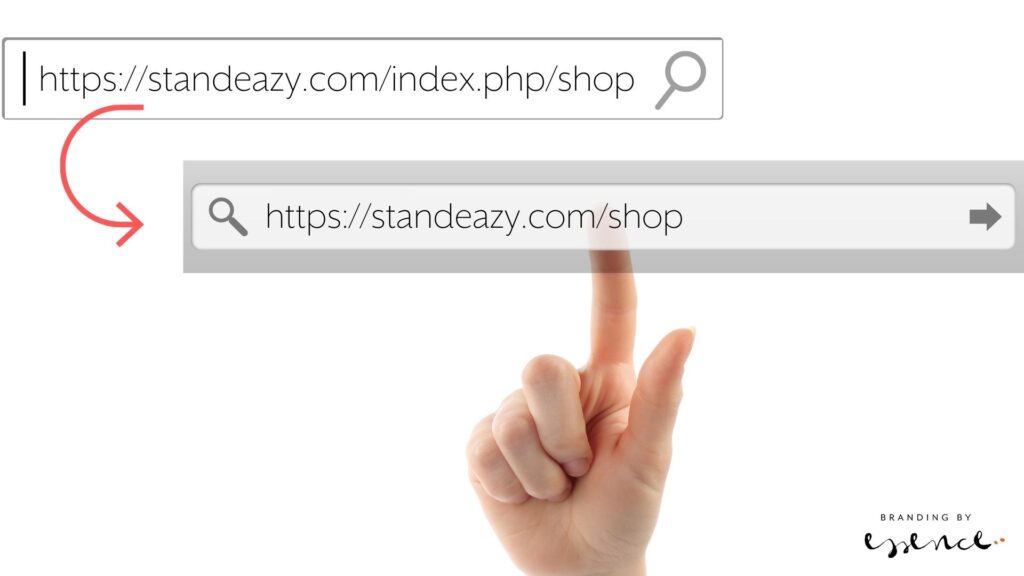
Hand pointing to URL that has been rewritten by Joomla

Joomla 4 – how to get rid of index.php from your URLs

I’ve just started using Joomla 4 for some new websites and it’s just as easy to use as the older versions. Some things are a bit unexpected, but basically it’s the same as before once you find where everything is packaged.

So just a little note for how to get rid of the .index.php from the URLs so they read well for humans and those pesky search engines.

Step 1 – Enable Use URL rewriting in Joomla 4.

From your dashboard, top right there are system short cuts. Find Global Configuration and scroll down until you get to the SEO settings. Enable URL Rewriting.

Step 2 – Change the htaccess file on the server

Get to your files on the server, via ftp or a file manager, and find the htaccess.txt file in the site root folder. Rename it to .htaccess. In my install, that was already there, so I renamed the htaccess.txt into something else and that did the trick.

The result: Beautiful short URLs.

Enjoy!

Find your way around online

Navigating Online

If anyone ever had any doubt, this year must have shown to businesses of all sizes and varieties that the world is happening online. And as a business, it’s ever more important to give customers a great brand experience when you can’t be there face to face.

There are lots of ways to have an online presence, and each business is unique in some way, so there isn’t a right or wrong formula – but looking at a combination of different media together with ‘traditional’ print, advertising and marketing will be a good starting point to devise the right strategy for your brand.

Below are some ‘brand touch points’ where people will interact with you to consider. Remember, it’s no longer a case of having a product, filling a niche and giving customers the choice of ‘take it or leave it’… Brands are made by the people that buy them. It’s vital to build loyalty, support and advocacy for what your brand stands for right from the start so your business resonates with the right audience.

“Your brand isn’t what you say it is. It’s what they say it is.”

Marty Neumeier
  • Website
    The headquarter of your online operations. All roads should lead back to it in some shape or form (and in your email footer) and landing there should be a pleasure that won’t disappoint. That’s one of the reasons why a website can’t just be something that looks like a template you populated in a day with stock images and dated graphic. It needs to sparkle and be as genuine as your brand should be.

    You may need a brochure or an e-commerce site, or a hybrid of both. You may need an app for mobile devices. Talk to your agency about the best option and beware of tying yourself to systems that can’t be widely supported.

    Invest not only in a progressive CMS (Content Management System) and design made for you specifically – think about using your own brand photography and don’t forget the website copy. If you spend all this time planning and organising a new site, you may as well go the extra mile to make it as future proof as possible.

    Think about using video on your site – explainer videos for instance are a great way to bring your story in front of your clients in an engaging manner. Sound could also be a good medium, but give people the option to browse on mute! Nothing worse than going to a website in your break and the whole open plan office knows which site you’re on…

    Make sure your site’s design and layout is responsive, so it looks good on a mobile or tablet and on a desktop or large screen. Different content will need to be considered for different devices, but that’s where your agency can help you with their expertise and advice on what works best where.

    Use new technology to make maintaining and updating your site easy and time efficient. Dynamic content, custom fields and advanced integrations can transform the way you use your web content as part of your marketing – and save you a ton of time.

    Don’t forget about speed, SEO and security. And GDPR! That subscribe form better be opt-in and your cookie policy should have the required choices available if your site is setting cookies. Have a look at your privacy policy if you collect any date and make sure your site has a good SSL certificate so users and browsers can trust their information is secure.

    Thankfully, there are lots of tools available online which allow for entry level functionality that can grow with your website as you grow your business. You don’t have to start with a high-tech rocket to reach the stars. It has to be capable, for sure, but with the right base you can add more features as you go along and learn more about what your customers need.
  • Social Media / Third Party Platforms
    There are so so many platforms out there now, one thing is clear – you can’t be on each one of them. So a good first step is to ask where your ideal customer hangs out. Using your ideal client as the central focus for how you run your online marketing is a neat little helper whenever you get stuck. What would they want? Where would they go? What would they expect? Would my content make sense to them? The answers will guide you to finding a manageable selection of platforms to create your profile on.

    Just like for anything that has your brand identity on it, make sure your social media profiles look the part. Consistency across all the different media will help to establish your presence in the market and give your customers confidence that they are in the right place.

    Look at getting a suite of templates for social media in place. Make a content plan. Think about what to post where when and to which audience.

    If you are using Zoom or similar video chat software to hold client meetings, think about your background. It may be worth to create a branded background that looks professional if you have to work from home without a home office.

With a good reputation
and the right audience, you don’t have to shout to be heard.

Regine Wilber
  • PR
    Having a presence in the news is a powerful tool for building your brand reputation. If you have a story to tell, tell it. There are not only literally millions of blogs and websites out there looking for fresh content, there are also reputable online events, magazines or news sites where your latest news could be featured. It takes time and patience and a bit of luck, but it’s all there for you to establish your brand online.
  • Emails and beyond
    There are some fantastic tools out there to help make your customer’s journey a smooth and happy one. From online chat bots to personalised, automated client email campaigns with Zapier or IFTTT integrations, the possibilities and opportunities are endless. Email is still one of the most important elements in customer communication, so make sure it’s top-notch.

    Think about spam prevention, which can be a real minefield. No point sending out fantastically crafted emails if they end up in spam. Try plain emails with interesting footers rather than mailchimp style HTML templates that may switch off the recipient because they instantly think they are being sold to. A/B test a campaign with different approaches.

    Make sure your list is clean; no point having unsubscribes and spam reports from people who haven’t really asked for being contacted. There are some great email providers out there for transactional emails which can tie in with your website and submission forms and provide a link to your CRM where you keep track of your contacts and lead pipeline.

    I also wanted to just touch upon measuring your activities. Google analytics, serpstat, rocket link and bit.ly, jetpack and all those tools within different platforms provide you with data about how your content performs. It’s a good idea to spend some time to assess which metrics are of real value to you, what matters at the end of the day and which you should mostly focus on to make a difference to your bottom line.

Hopefully this gives you a brief overview of the complexities of a digital marketing strategy. With any of these, consistency, continuity and good content is key to your success online.

If you’d like to chat about your website and everything around it, please get in touch!

online brand management, web development, website design

Colours, colours, colours

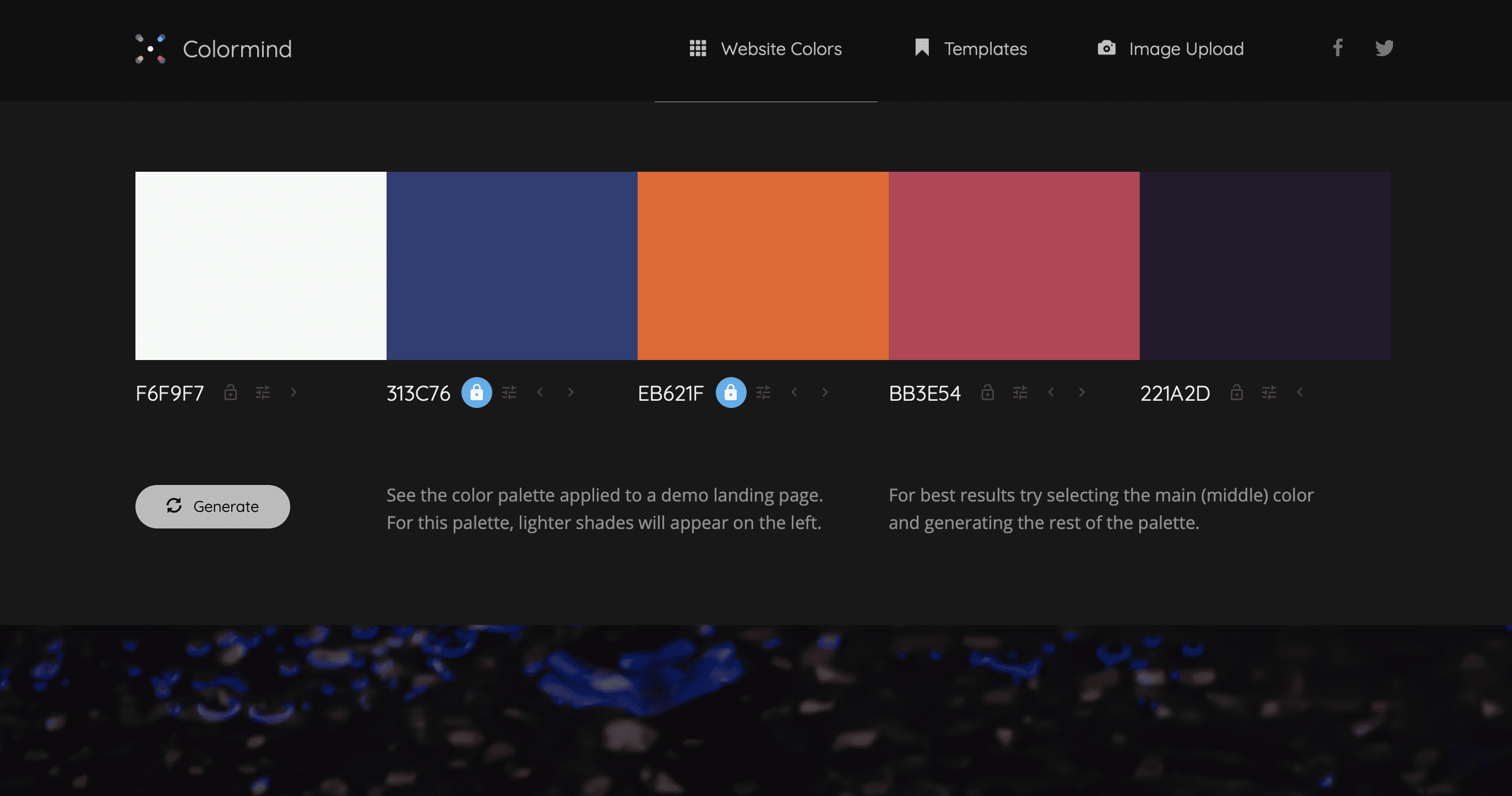
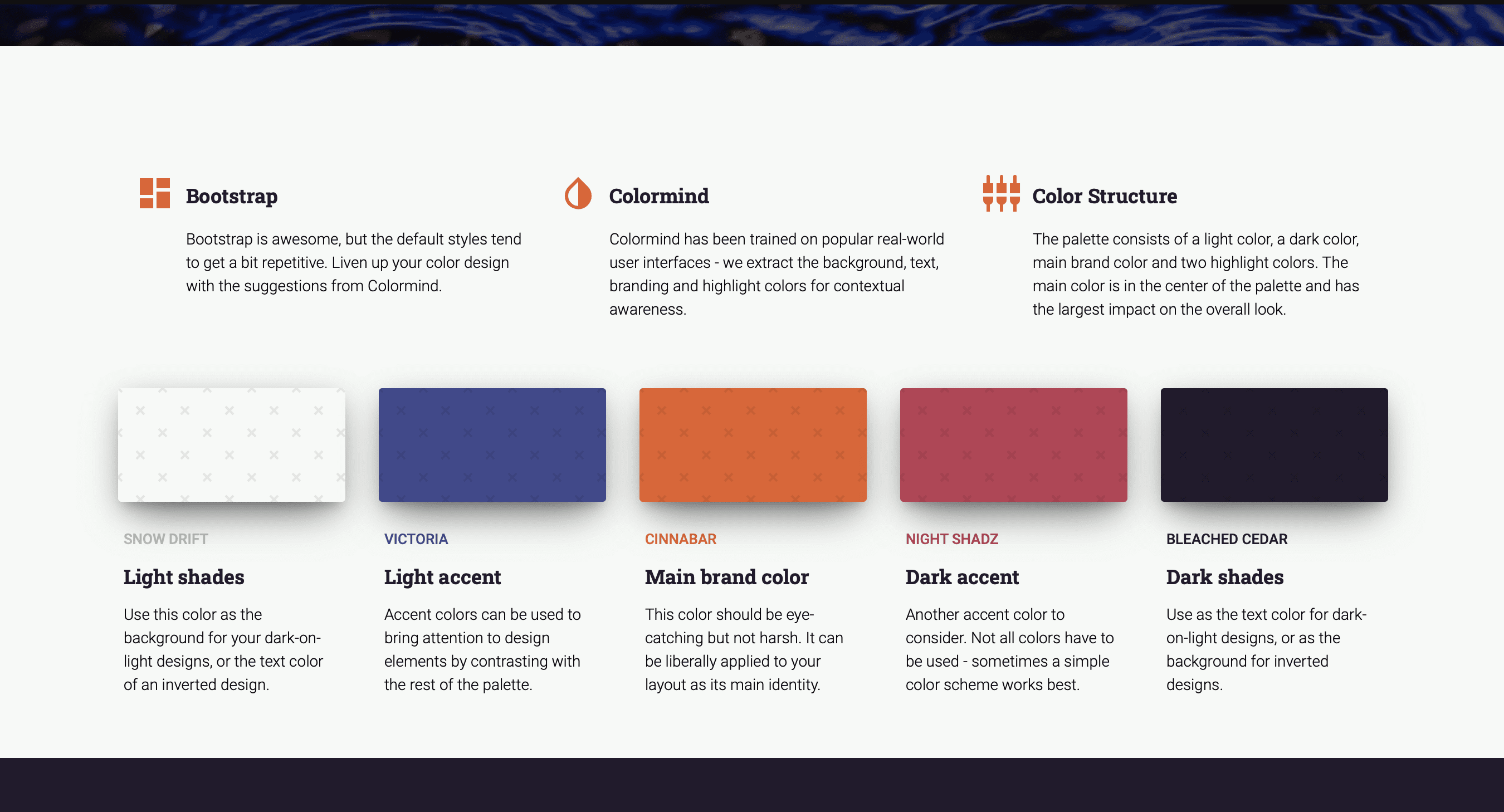
Fast becoming one of my favourite colour palette sites is http://colormind.io (Yes, they should have an ssl certificate, but I don’t think they will steal your date – you can just use it as a tool and don’t have to give away your personal info).

The site uses AI to generate however many additional colours you need for your palette. You can define some core ones you want to definitely keep and it will ai its way around those to match with other options. It’s a great way to test contrast and appeal on actual elements, see what it feels like without having to apply it to your web theme yet.

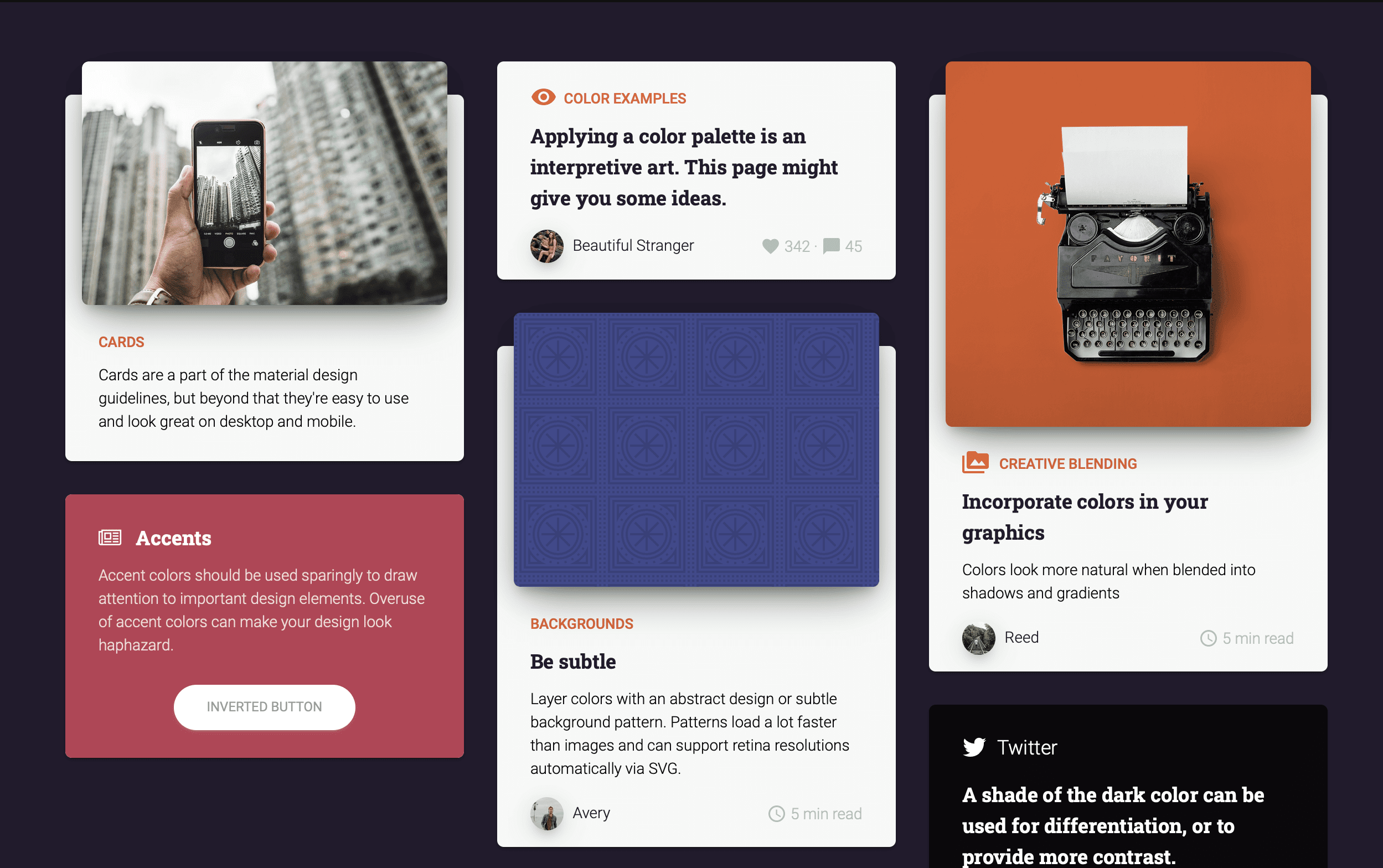
It’s perhaps meant to be an introduction for the products linked to it which allow you to create pages with Material Kit – but I am using it for the colours itself. Thank you Jack!

How to lock down documents

Amidst the current corona crisis, one of my clients needed a quick fix to communicate some potentially scary documents with their staff without alerting the public, and they didn’t have an intranet.

We had a brainstorm to look at the existing website capabilities without the need to setup a separate login area and to minimise admin, and DocMan from Joomlatools had the required features.

One option was to stop search engines from indexing the documents on the website. You can see here how to stop indexing.

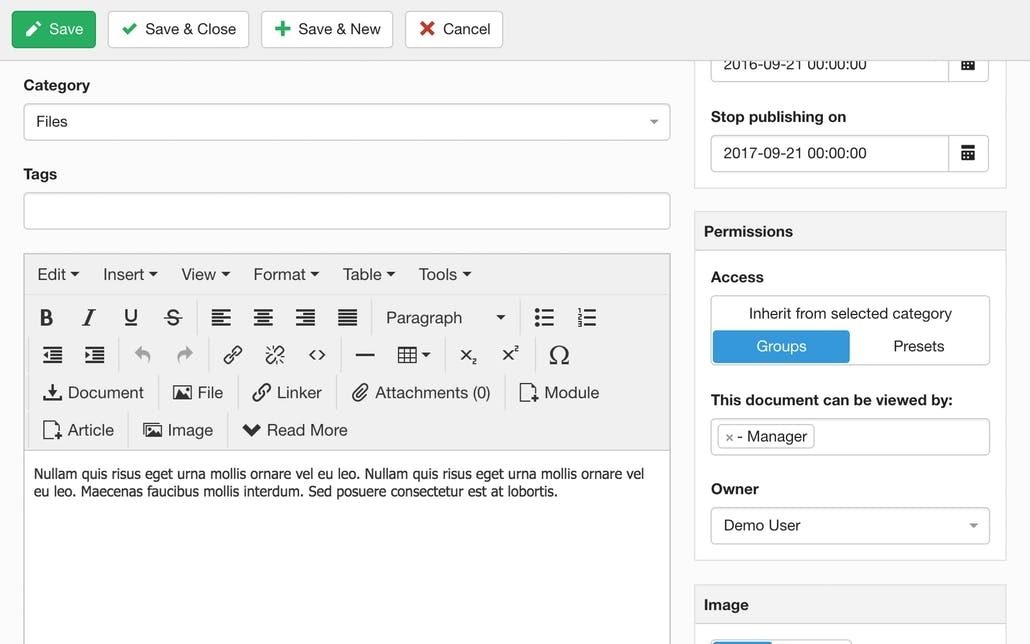
The perhaps better option however was to also lockdown the documents completely to a user group that would only internally be granted access. So we set up a new access level with viewing permissions specifically for this type of documents. You can see how to lock down documents in DocMan here.

That way, no second system is required, and a shared internal login makes the access relatively easy.

Ultimately, a user based registration process that can enable and disable staff access is obviously the preferred solution but as a quick fix that worked for them.

coronacrisis, workarounds